Skip to content
PolyTrader Pro

PolyTrader Pro

Ultra-fast desktop trading terminal for Polymarket with multi-account support.

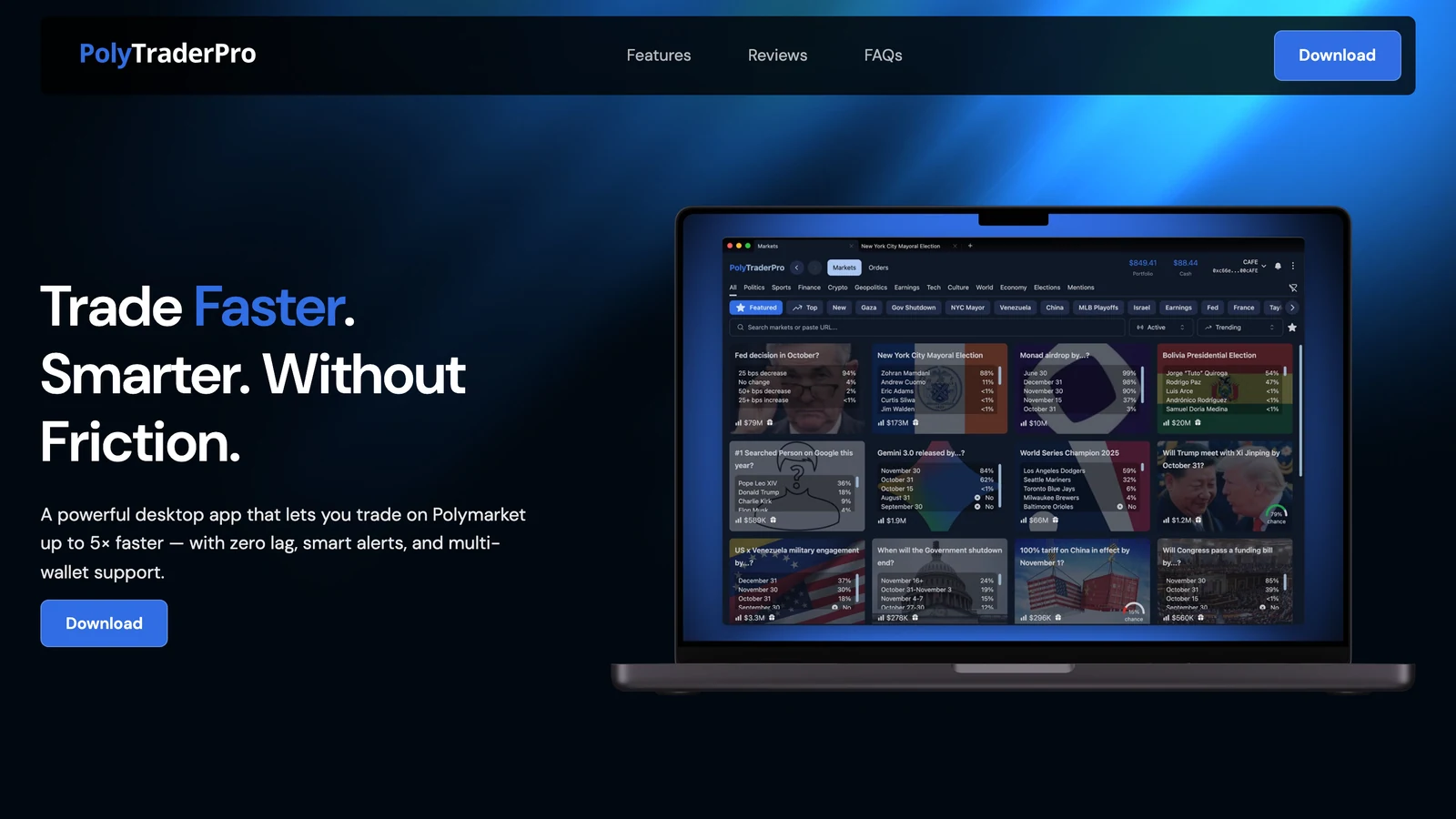
PolyTrader Pro is a professional-grade desktop trading client for Polymarket available on macOS, Windows, and Linux. It runs up to 5× faster than the default web interface, supporting multi-wallet management, price alerts, share splitting, and confirm-trade protection.

Trading
Polymarket
PolyTrader Pro cover

What is PolyTrader Pro?

Overview of the desktop app terminal for Polymarket

PolyTrader Pro is a professional desktop client and execution terminal designed specifically for Polymarket. Developed in collaboration with legendary prediction market traders, the platform operates directly on Polymarket's backend APIs to bypass the lag and overhead associated with the standard browser web interface. It runs as a native app on macOS, Windows, and Linux, providing high-frequency and manual traders with sub-second order routing, custom alert configurations, and multi-wallet management.

Key Features

Technical capabilities of PolyTrader Pro

Ultra-Fast Execution

Routes orders directly to the API, bypassing default web UI rendering paths to execute trades up to 5× faster.

Multi-Account & Multi-Wallet Support

Connect and manage multiple wallets (including Magic Link, MetaMask, and external hardware wallets) and toggle between accounts instantly.

Custom Price & Liquidity Alerts

Set audio-alert triggers that beep when order books receive liquidity at or below specific price points, removing the need to monitor charts.

Share Splitting and Merging

Includes advanced tools to split, merge, or convert opposite-risk shares on negative-risk and mutually exclusive prediction markets.

Anti-Misclick Protections

Configure custom confirmation pop-ups based on trade size or bankroll percentages to prevent execution mistakes.

Multi-Tab Workspace

Supports multiple tabs and secondary windows, allowing traders to view and monitor several event contracts simultaneously.

How It Works

Desktop client architecture and execution

1

Desktop Installation

Traders download the installer package for their operating system (macOS DMG, Windows EXE, or Linux AppImage) and install the app locally.
2

Secure Wallet Connection

Users connect their wallets via standard Web3 authentication APIs or log in using email credentials to link their Polymarket balances.
3

Workplace Configuration

Traders configure workspace tabs, watchlists, audio price beeps, and confirm-trade parameters.
4

Direct API Ordering

Placed orders are signed locally by the user and transmitted directly to Polymarket's order book execution endpoints.

Account Setup Steps

Installing and configuring PolyTrader Pro

1

Download the desktop client

Visit the official polytraderpro.com site and click the download button for your operating system.
2

Launch the Application

Install the app and open the PolyTrader Pro client on your desktop.
3

Log In or Connect Wallets

Enter your Polymarket email credentials or connect external web3 wallets using the secure connection modal.
4

Configure Custom Preferences

Open settings to toggle anti-misclick controls, choose your alert sounds, and save watchlists.
5

Acquire License (Optional)

Contact [email protected] to purchase a professional trading license for full platform access.

Pricing & Licensing

Access fees and support

Standard License
  • Native desktop app access
  • Multi-wallet integration & switching
  • Advanced price alert triggers
  • Confirm-trade protection rules

Pros & Cons

Technical advantages and drawbacks

Pros

  • Offers up to 5× faster trade execution compared to standard web interface.
  • Allows seamless, instant switching between multiple connected Web3 and email wallets.
  • Includes advanced order book alerts that play audio when liquidity targets are hit.
  • Equipped with built-in confirm-trade checks to block accidental misclick orders.

Cons

  • Currently requires contacting support to manually purchase a license.
  • Requires local installation of a desktop application rather than browser-only usage.
  • Limited to Polymarket, with no support for other prediction networks.

Primary Use Cases

User workflows on PolyTrader Pro

High-speed news trading

Traders execute buy/sell orders immediately on breaking news, beating default browser interfaces to capture optimal prices.

Multi-wallet arbitrage

Arbitrageurs switch between separate accounts to rebalance positions or capture spreads across opposite shares.

Liquidity sniper alerts

Traders set audio alarms for price levels and wait, placing trades the moment order books fill without staring at order screens.

Alternatives

Alternative terminals and tracking tools

Polysights

A popular desktop terminal client and tracker that offers wallet monitoring and order analytics.
Visit Website

Betmoar

A popular prediction market companion terminal and Discord alert bot.
Visit Website

Polymtrade

A mobile web wrapper and companion terminal offering gas fee subsidies.
Visit Website

Frequently Asked Questions

Common questions about PolyTrader Pro client

The application connects directly to Polymarket's order routing APIs without the overhead of heavy web assets, browser caches, and DOM scripts, reducing trade latencies.

Yes. PolyTrader Pro natively supports adding multiple wallets and accounts, allowing traders to switch between profiles with a single click.

It is an optional setting that prompts users to confirm a trade before submitting if the trade amount exceeds a user-defined threshold (e.g. $1,000 or 5% of bankroll).

Automated licensing is in development. Currently, you can request and purchase a software license by writing to the team at [email protected].

Conclusion

Final directory verdict

PolyTrader Pro is a high-performance desktop companion client that enhances order execution speeds and workspace customization for Polymarket traders. With robust multi-wallet switching, configurable audio alerts, and misclick safeguards, it delivers a specialized terminal workflow for serious prediction market participants. While it requires a desktop download and manual licensing, the speed advantages make it a top choice for active order execution.

Tags

Prediction MarketPolymarketMaker AlertsTrading TerminalDesktop AppMulti-Wallet

Comments

No comments yet. Be the first to comment!

Your comment will be reviewed before publishing.Sign in for instant posting.